AI-Directed eLearning Development: Copilot in Your ID Workflow
Project Info
Audience: Instructional designers and learning professionals who are new to AI tools
My Role: Instructional Design, AI-Directed Development, UX/Visual Design.
Tools Used: Claude AI (Cowork mode), Microsoft Copilot (course subject).
Format: Self-paced, web-based eLearning, single HTML5 file, no LMS dependency.
Overview
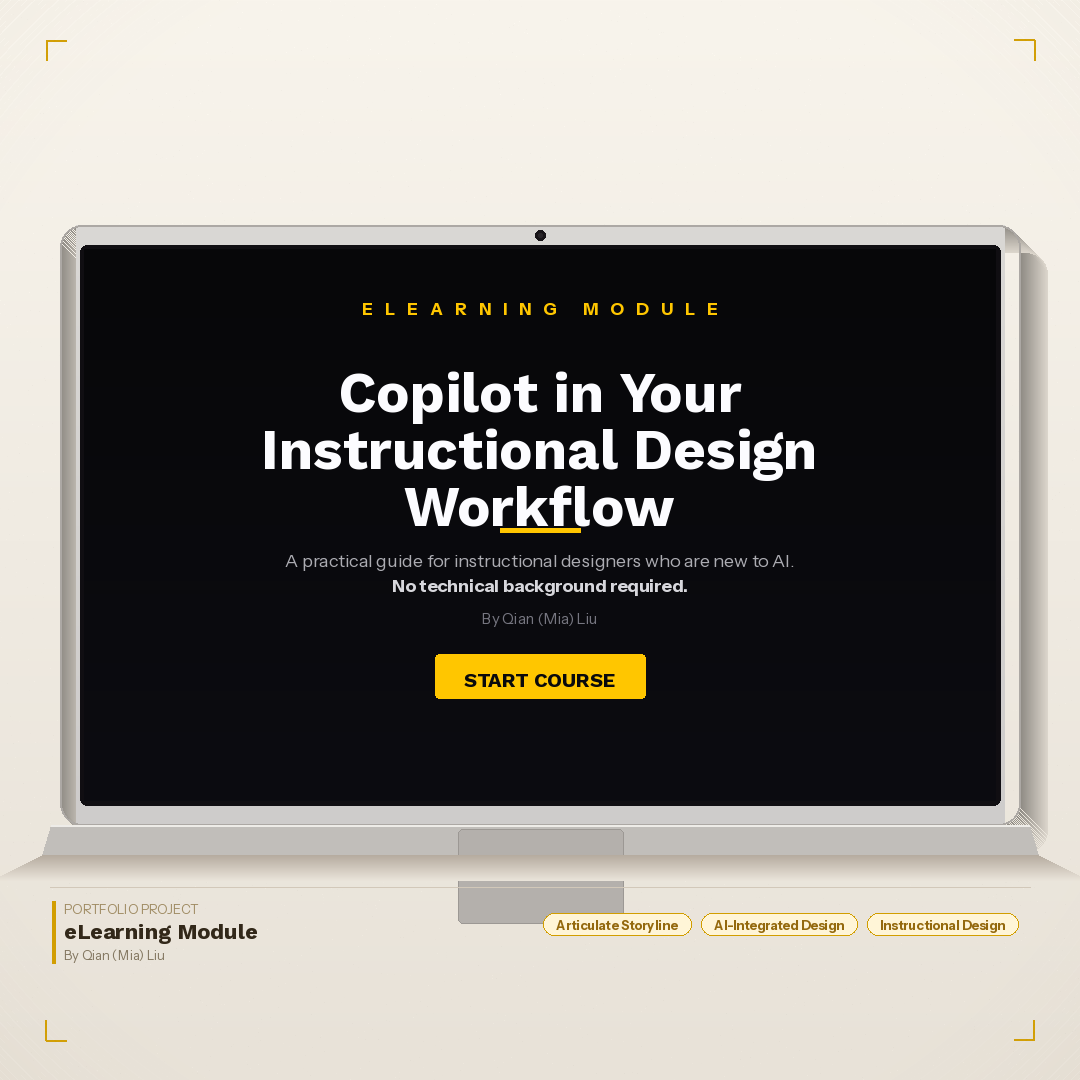
Copilot in Your Instructional Design Workflow is a prototype eLearning course built to show how AI tools can be used to develop a web-based training experience from scratch. This is a proof-of-concept focused on demonstrating the development process, not a full production course.
The topic was chosen for a practical reason. Working with colleagues who were starting to use AI tools in their daily Instructional Design work, I noticed a common gap: people wanted guidance on using Copilot for actual ID tasks like drafting storyboards or writing learning objectives, not just generic AI tutorials. This prototype is a direct response to that need.
For the development side, I used Claude AI (Cowork mode) instead of a traditional authoring tool. Every line of code was generated through structured prompts, with me making all the content, design, and accessibility decisions along the way. The final product is a single HTML5 file that runs in any browser with no LMS or additional software needed.
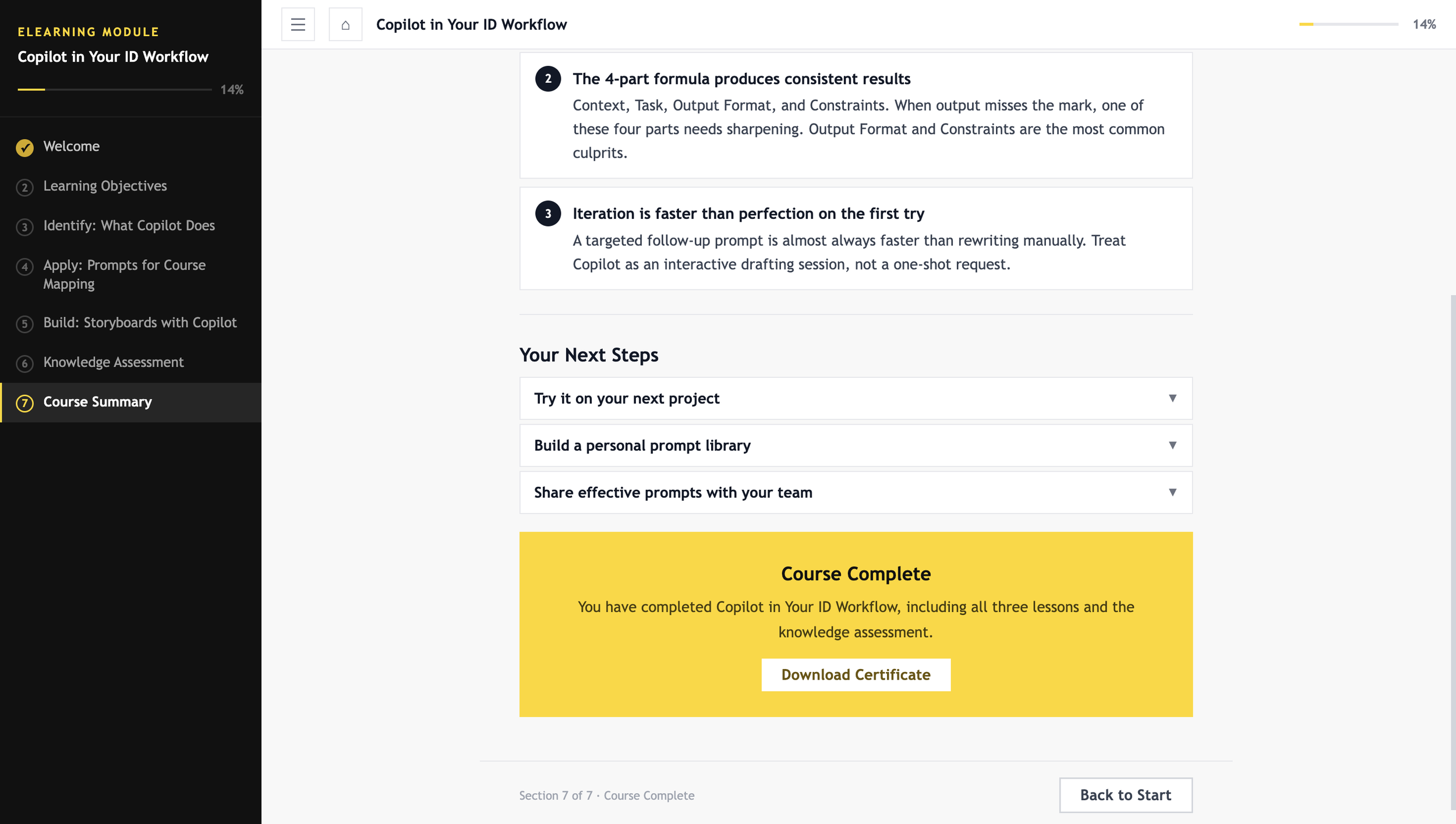
Seven interactive sections with sidebar navigation and progress tracking.
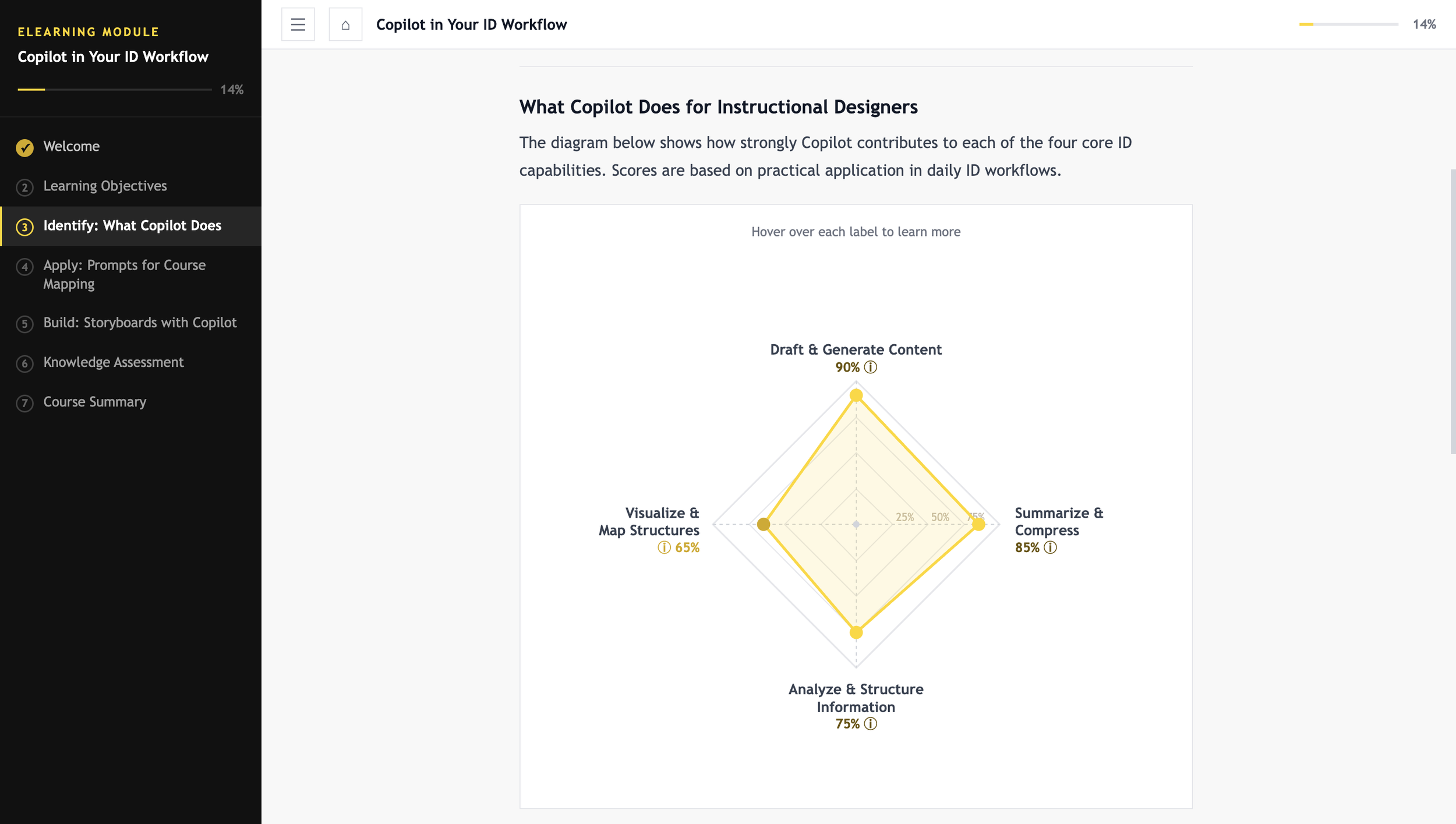
Interactive SVG competency radar chart with hover tooltips (Section 2).
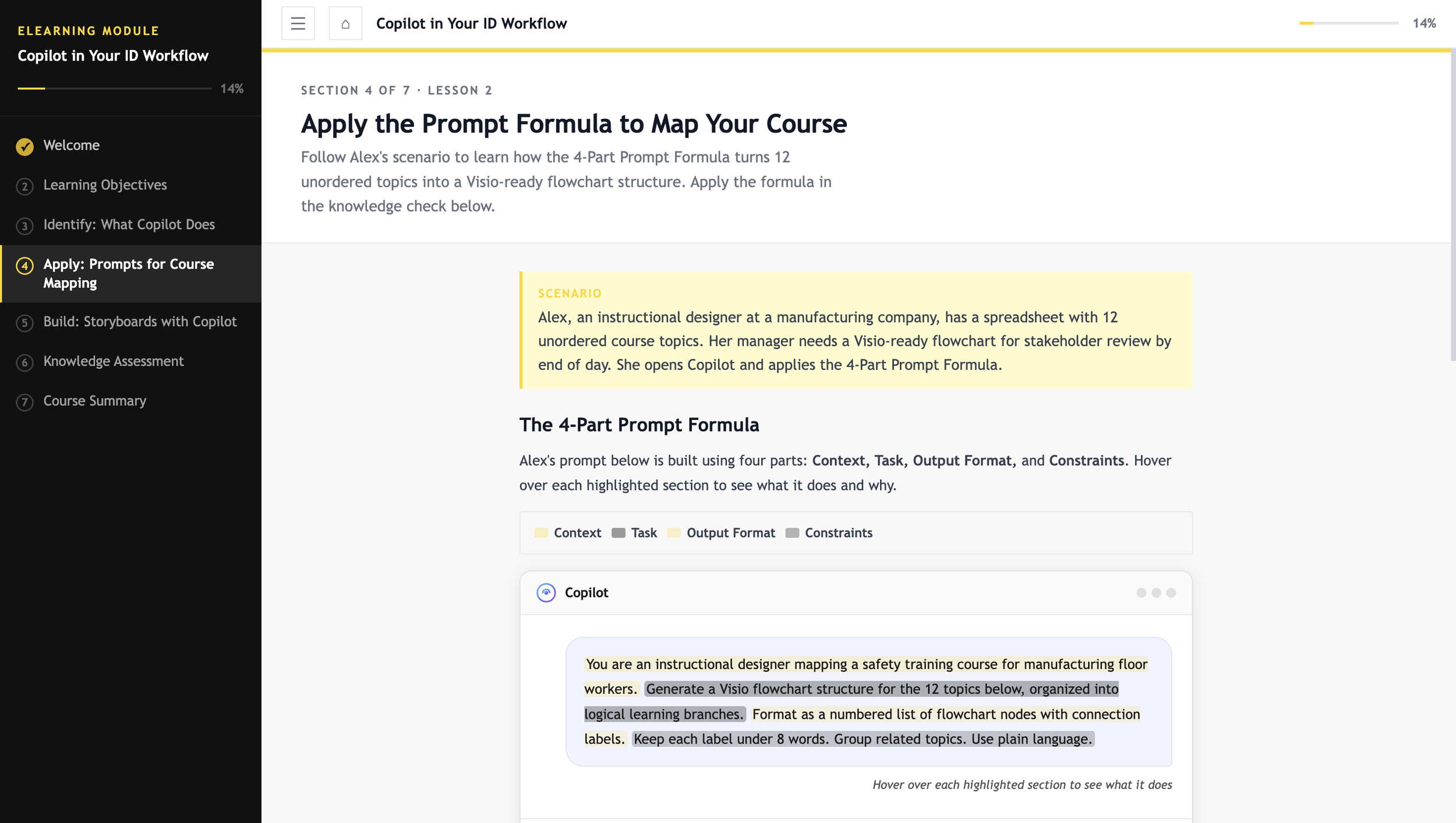
Copilot chat interface mockup with hoverable prompt anatomy (Section 4).
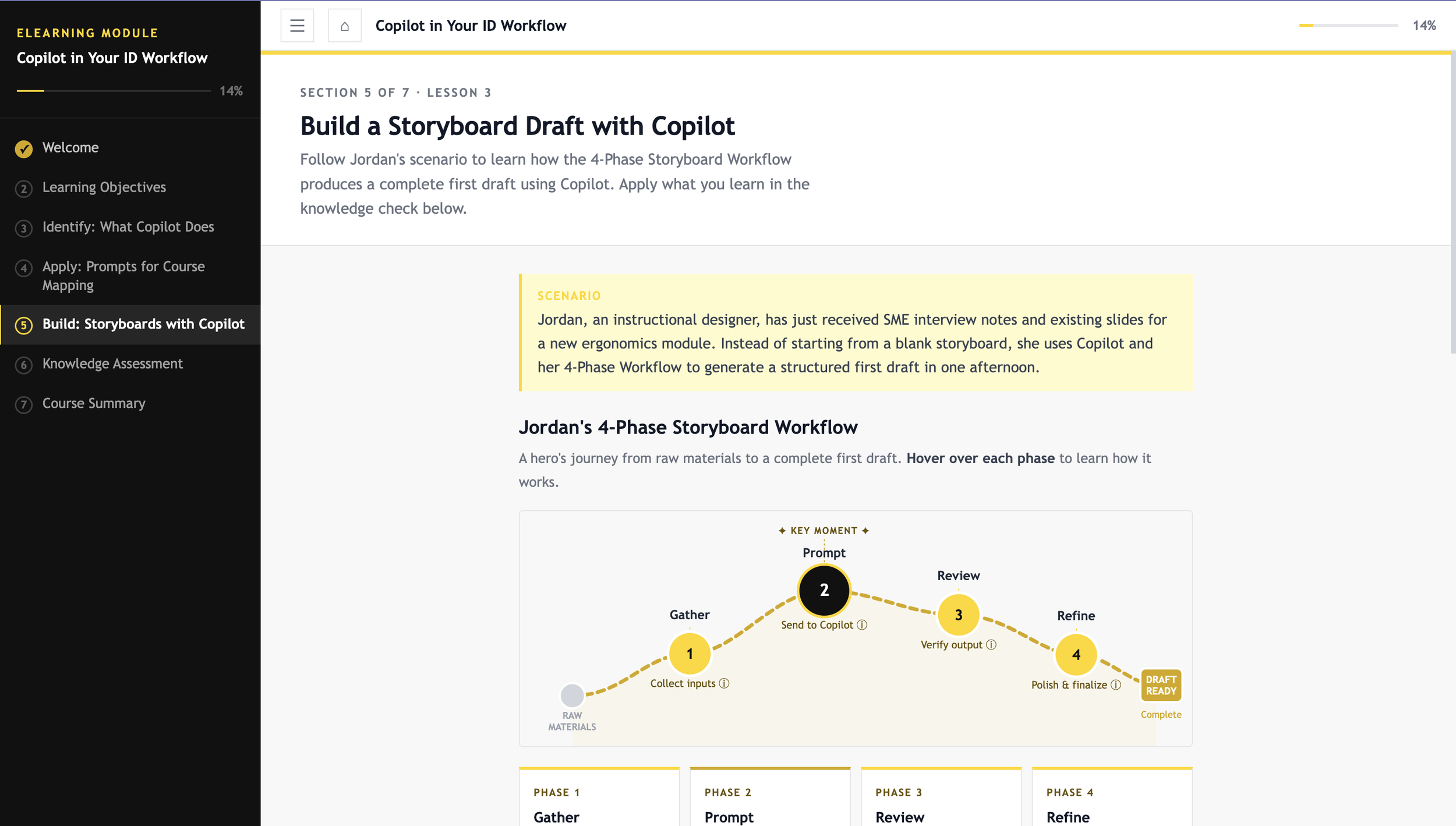
Hero’s journey SVG arc visualizing a 4-phase storyboard workflow (Section 5).
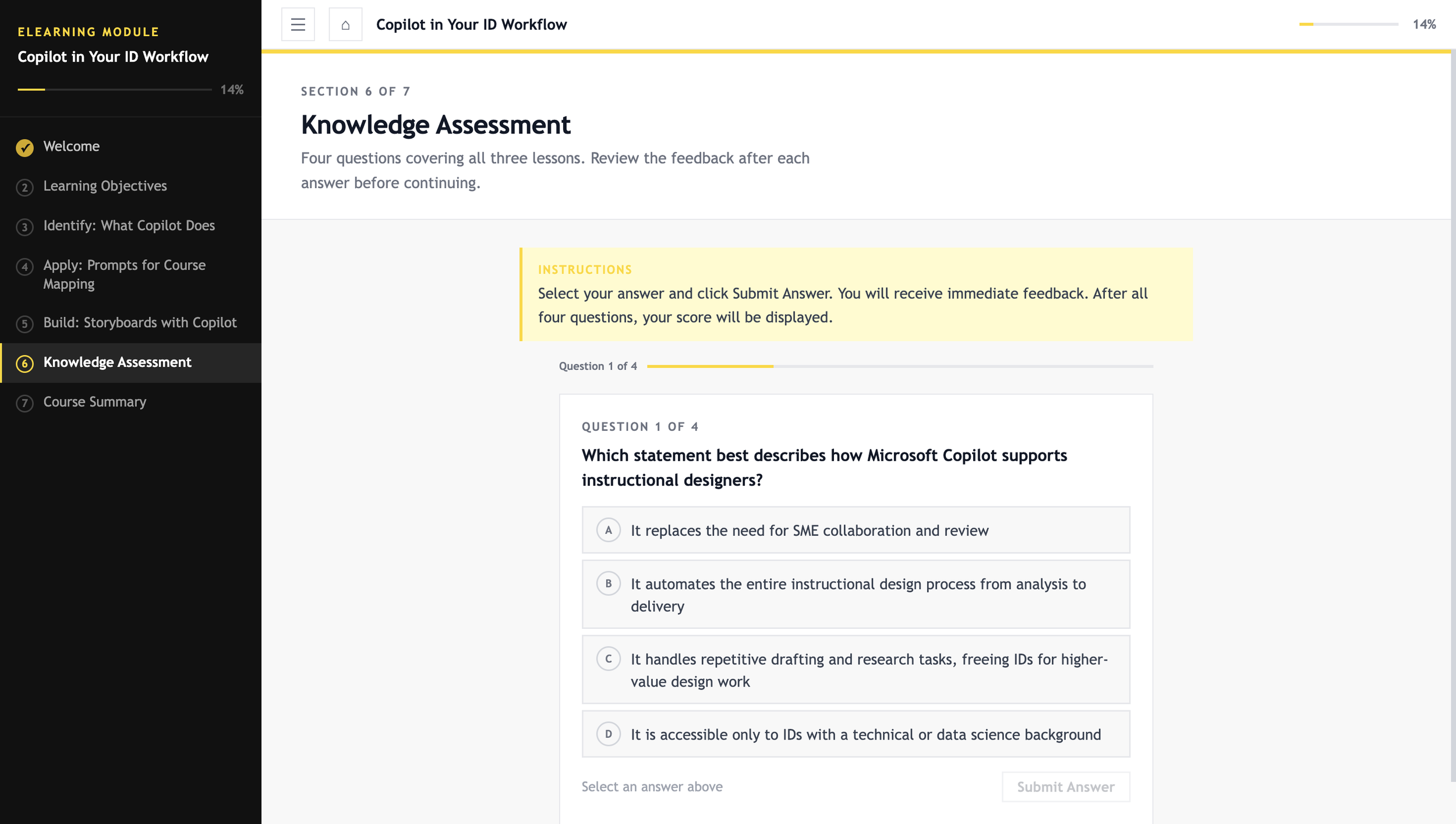
Four-question knowledge assessment with branching feedback (Section 6).
WCAG 2.1 AA accessible design throughout, with verified contrast ratios on all text/background pairs.
Course Components
Problem & Solution
The Observed Need
The topic came from something I observed at work. As AI tools became more common, colleagues in instructional design roles weren't always sure how Copilot fit into their existing process. The interest was there, but general AI tutorials weren't translating into practical help for tasks like drafting storyboards, writing learning objectives, or structuring prompts for course content.
That gap between what was available and what IDs actually needed shaped both the topic and the design of this project.
The Secondary Challenge
There was also a personal motivation here. A lot of portfolios mention AI-enhanced development, but few show what that actually looks like in practice. I wanted to document the real process: the specific prompts I used, how I gave feedback to improve the output, and the design decisions I made along the way.
The Approach
The goal was to build something that addressed both needs at once: a course that teaches IDs how to use Copilot, built using AI as the development engine. I led all the instructional design and content decisions while using Claude AI to handle the technical build through structured prompts and iterative feedback.
Design & Development Process
The development followed five phases. I handled all strategic and creative decisions; Claude AI handled the technical implementation.
Phase 1: Instructional Architecture (ID-First)
Before writing a single prompt, I completed the core instructional design work: audience analysis, learning objectives, course structure, persona development, and scenario design.
Target persona: instructional designer with no technical background, interested in Copilot but unsure where to start.
Seven-section architecture: orientation, competency framing, capability analysis, prompt engineering, workflow application, knowledge assessment, course summary
Two learner personas developed: Alex (prompt engineering, Section 4) and Jordan (storyboard workflow, Section 5)
Instructional strategy: scenario-based and practitioner-focused, with interactive visualizations to anchor each concept
Phase 2: Prompt-Driven Initial Build
Once the architecture was in place, I wrote a structured opening prompt that specified the visual style, navigation behavior, font, and section layout. Being specific upfront reduced the need for major revisions later.
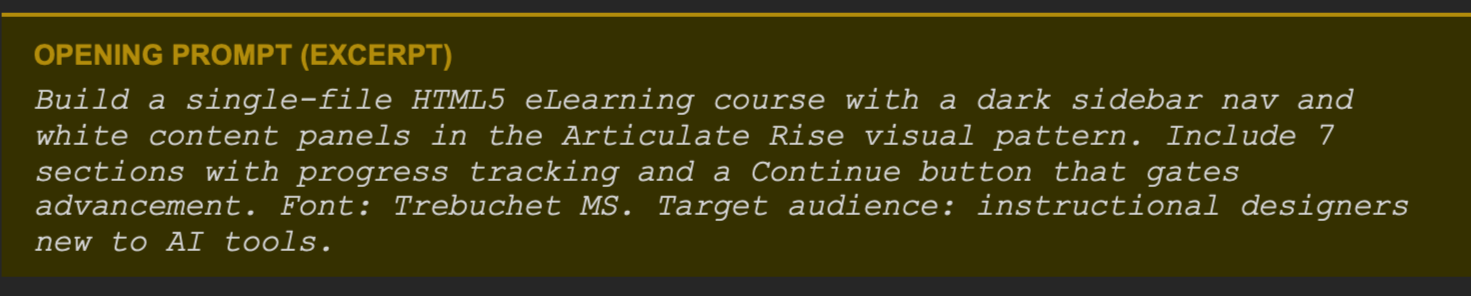
The AI generated the full course shell, including navigation, layout, section scaffolding, and interactive gating logic, in a single output. I then reviewed it against the learning objectives before moving into content development.
Phase 3: Iterative Content and Interaction Development
Each section was built and refined through specific feedback prompts. I evaluated every AI output against two things: whether it aligned with the learning objective, and whether it made sense for the learner. When the output was off, I redirected with a more precise instruction.
Here are some examples of the feedback prompts I used during this phase:
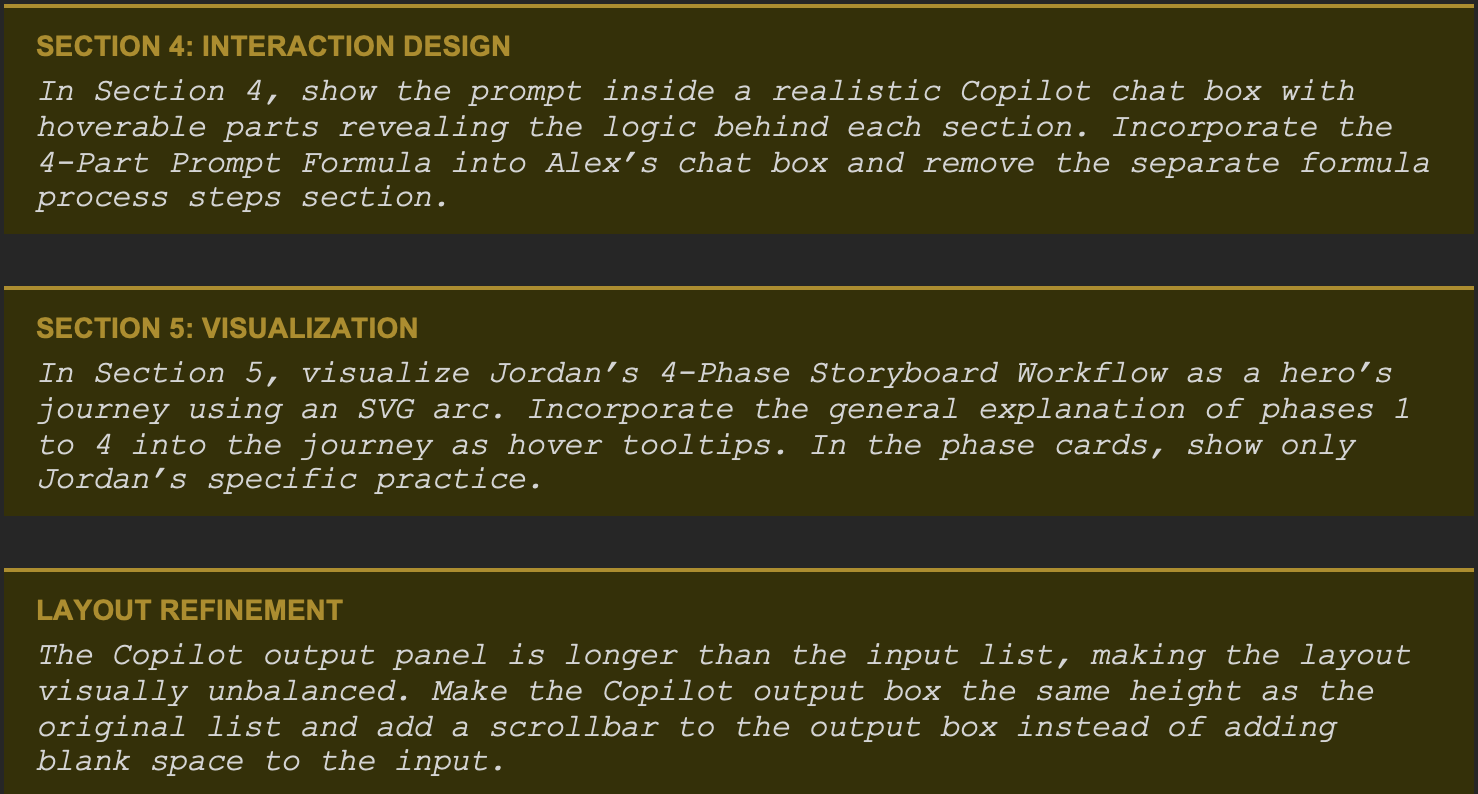
This review-and-redirect cycle repeated across every section. My role was to evaluate each output as a designer: keep what worked, push back on what didn't.
Phase 4: Visual Design Direction
After the content was finalized, I chose a high-contrast visual theme (black, white, and yellow) and applied it through a single design prompt. The AI updated all colors across the course, including CSS variables, SVG elements, and inline styles.

I then reviewed the result and made specific adjustments, for example, identifying which text elements needed a darker amber instead of pure yellow for readability, and directing the AI to treat text colors differently from decorative fills.
Phase 5: Accessibility Audit and Remediation (WCAG 2.1 AA)
As a final step, I ran a full WCAG 2.1 accessibility audit by checking the contrast ratio of every text and background color combination in the course.

One fully functional HTML5 eLearning course (single-file, self-contained, WCAG 2.1 AA compliant).
Seven interactive sections with sidebar navigation and progress-gated Continue buttons.
Custom SVG visualizations: competency radar chart and hero’s journey workflow arc.
Interactive Copilot chat mockup with hover-revealed prompt anatomy.
Four-question knowledge assessment with branching feedback and score tracking.
Complete accessibility audit log with verified contrast ratios.
Project Deliverables
Building this course gave me a clearer picture of where AI tools genuinely help and where the instructional designer still needs to be fully in charge. Here are the main things I took away from the process.
What AI Tools Can Help IDs Do Faster
Translate a course outline into a working prototype quickly, without needing coding skills or an authoring tool license.
Handle repetitive development tasks like applying a color theme, adjusting layout across multiple sections, or reformatting content.
Generate a first draft of structured content, such as learning objectives, scenario scripts, or quiz questions, which the ID can then refine.
Run systematic checks, like auditing contrast ratios across an entire course, that would take much longer to do manually.
What Still Requires The ID's Judgment
Defining the learning problem and deciding whether training is even the right solution.
Choosing the instructional strategy, the scenario structure, and the level of interactivity that fits the audience.
Evaluating whether AI-generated content is accurate, appropriate, and actually aligned with the learning objective.
Making design decisions that require contextual judgment, like knowing when a layout looks unbalanced or when a tooltip adds value rather than clutter.
Enforcing professional standards like WCAG accessibility, which the AI can execute but won't self-initiate.
How To Get Better Results From AI
The biggest factor in output quality is the quality of the prompt. Vague instructions produce generic results. The more context you give upfront, the less time you spend correcting things later. It helps to think of prompting the way you would think of briefing a developer or a graphic designer: be specific about what you want, explain the constraints, and describe what good output looks like.
Feedback also works best when it is specific. Saying 'this section feels off' gives the AI nothing to work with. Saying 'the output panel is taller than the input list, make them the same height and add a scrollbar to the output' gets the fix done in one step.
Finally, treat AI output as a starting point, not a final product. The review step is not optional. The AI will produce something plausible-looking even when it misses the mark, and only the instructional designer knows what the learning goal actually requires.