GxP System Training Project
Articulate Storyline | GxP Training
Project Info
Audience: Employees and contractors in the Clinical Authoring function onboarding to a new authoring system
My Role: Instructional Designer & eLearning Developer
Tools Used: Articulate Storyline, Articulate Review 360, Lucid, Survey Monkey, Microsoft Planner, Microsoft Word, LMS
Format: Web-Based Training hosted in LMS
Overview
This case study documents the end-to-end instructional design and eLearning development of compliance training curricula built to support a company-wide rollout of a new clinical authoring tool (referred to here as the XYZ Authoring Tool to protect proprietary information).
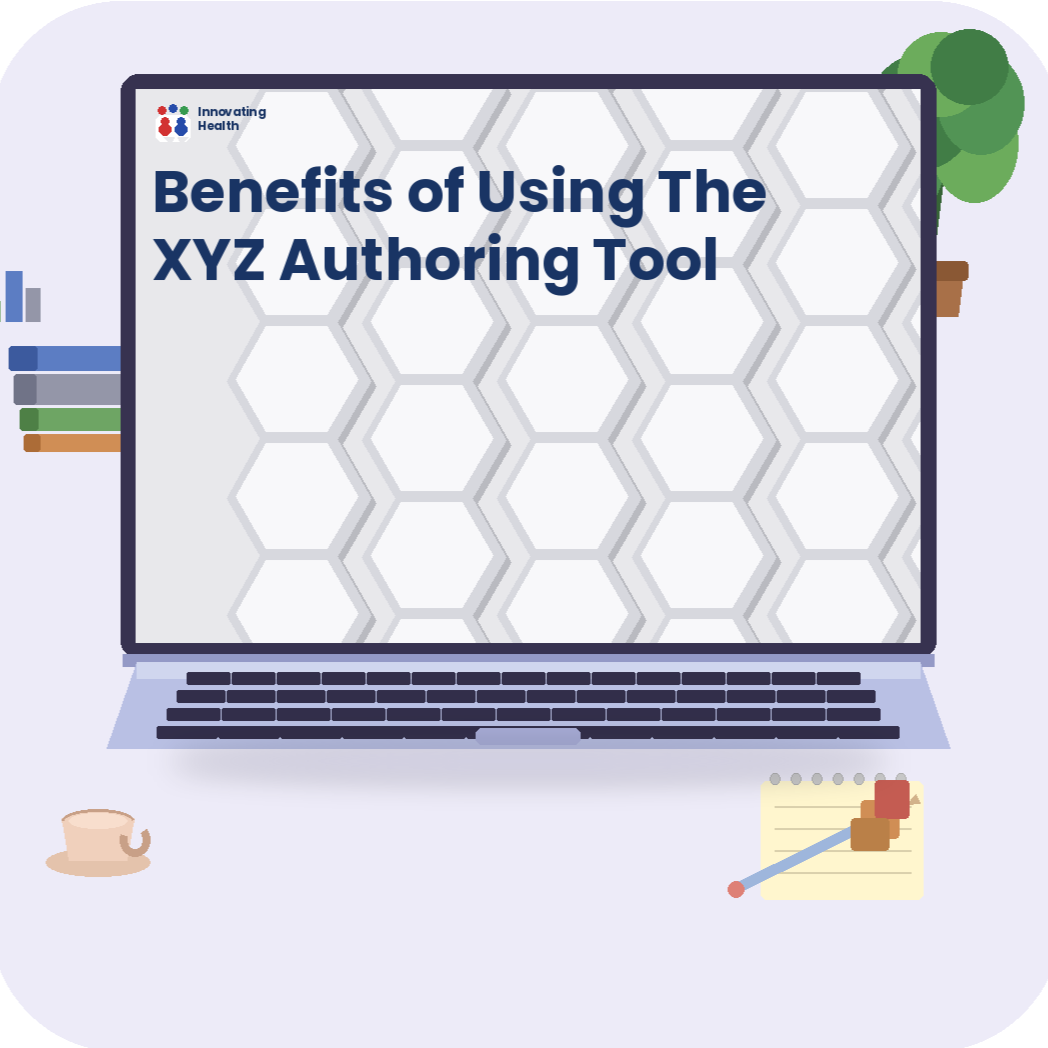
The curricula were developed for a pharmaceutical company operating in a regulated GxP environment, where system training is a mandatory prerequisite for system access. The full training program comprised a standalone prerequisite video and a series of role-based eLearning modules, each tailored to a distinct system role. The prerequisite video, Benefits of Using the XYZ Authoring Tool, is the featured deliverable in this showcase.
I served as the instructional designer and one of the eLearning developers on this project, owning the process from needs assessment through post-launch evaluation. This included stakeholder engagement, training plan authorship, task analysis, storyboard and script development, prototype creation, Articulate Storyline development, LMS testing coordination, and learner satisfaction analysis.
This case study demonstrates my ability to lead a full-cycle instructional design and development project in a regulated, high-stakes environment, applying an adapted ADDIE + SAM framework to deliver a structured yet agile process, manage cross-functional stakeholders, and translate complex system content into accessible, engaging eLearning experiences.
When a pharmaceutical company operating in a regulated GxP environment adopts a new clinical authoring system, training is a mandatory prerequisite for system access and a compliance requirement. Resistance and confusion among employees and contractors are also predictable obstacles.
Identified Gaps:
Existing onboarding documentation was text-heavy, lacked visual appeal, and failed to address the "what's in it for me?" question that drives learner engagement.
Before learners could meaningfully engage with how to use the new system, they first needed to understand why the company was adopting it.
Learning Needs:
System procedural skill-building based on system roles.
Motivational orientation: building readiness and reducing resistance before role-based training began.
Solutions:
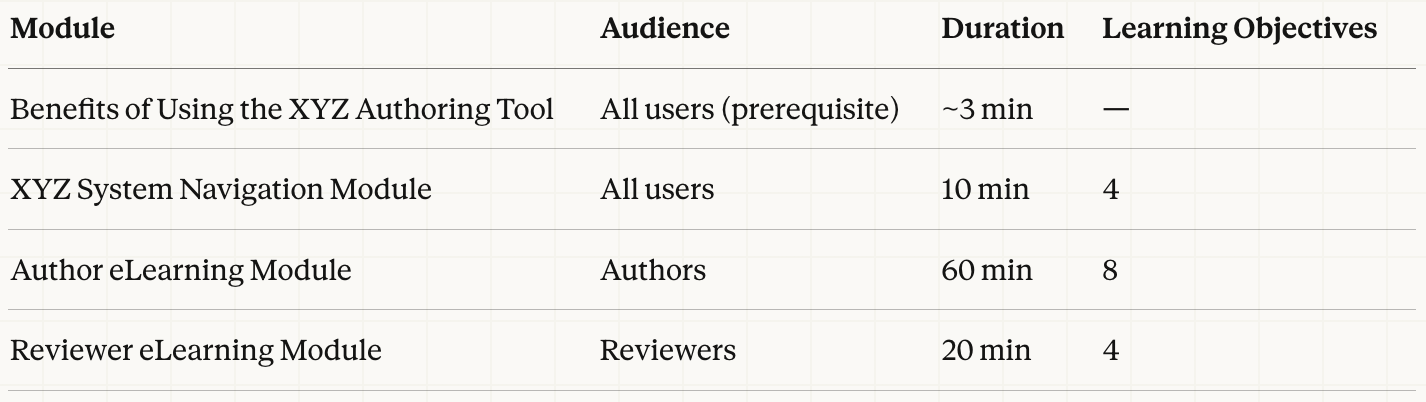
A general system navigation module included in all role-based curricula.
A role-based training module created for each system role.
A concise, engaging prerequisite video explaining the benefits of the new system, embedded in all role-based modules.
Problem & Solutions
Framework: ADDIE + SAM (Adapted)
This project applied an adapted combination of ADDIE and SAM. ADDIE provided the phase-gating and stakeholder alignment checkpoints required in a regulated GxP environment; SAM drove rapid, iterative cycles within each phase to incorporate continuous business feedback without derailing the overall timeline. Together, they produced a process structured enough to meet compliance requirements and agile enough to respond to evolving content needs.
Phase 1: Analysis(4 weeks)
I met with business leads and SMEs to identify business needs, gaps, and training goals, and engaged the project manager and cross-functional stakeholders to understand the implementation scope, timeline, and team structure. I collected authoritative source documentation, primarily the vendor's user manual, to serve as the content foundation for all training modules.
Based on these findings, I authored a Training Plan covering training scope, goals, target audience, training strategy, and proposed curricula. This document served as the alignment anchor for the project, giving business leads, the PM, and cross-functional stakeholders a single reference point for what would be built, for whom, and why.
Using Lucid, I then conducted a task analysis to map the content scope for each module into a learning-objective-based course structure. Business leads and SMEs reviewed the first draft; following one to two rounds of revision, the course structure and learning objectives were finalized before advancing to Design.
Key Design Decision: Standalone Prerequisite Video Needs assessment findings revealed two distinct training gaps: procedural skill-building and motivational readiness, which required different interventions. Rather than embedding system context into each role-based module and repeating it across the curriculum, I proposed a standalone prerequisite video to address the why before learners encountered the how. This eliminated redundancy across modules and created a more coherent, sequenced learner journey.
Project Management Practice: Timeline Alignment Upon confirming training scope, I developed a course design and development timeline using a task management tool (Microsoft Planner), mapping training milestones against the broader system implementation schedule and identifying dependencies between the two workstreams. This ensured the training program would be ready when the system went live and gave stakeholders visibility into progress throughout the project.
Phase 2: Design(3 weeks)
Using Microsoft Word, I developed storyboards and scripts for each role-based module based on the approved learning objectives and task analysis.
Key Design Decision: I chose Word over Storyline-native storyboarding because the reviewer population, business representatives and SMEs, was non-technical. Reducing tool friction lowered the barrier to meaningful review: reviewers could annotate scripts directly, validate the examples and scenarios to be used in the course, and provide substantive feedback without navigating an unfamiliar authoring environment. This decision shortened the review cycle and improved the quality of stakeholder input. The phase concluded when all comments were resolved and final approval was confirmed.
Phase 3: Development (5 weeks)
Prototype — 1 week I developed a prototype for the Benefits of Using the XYZ Authoring Tool video to validate the visual design and content flow before committing to full development. I facilitated a review session with business leads and SMEs to gather feedback and obtain sign-off, then proceeded to full eLearning development.
eLearning Development — 1 month I used Articulate Storyline to develop all eLearning modules, managing daily workload planning and tracking progress through a task management tool (Microsoft Planner).
Key Design Decision: Rather than waiting for a complete module before initiating review, I structured the development-review-revision cycle around Learning Objective (LO) completion. Upon finishing each LO and its associated child LOs, I published to Articulate Review 360 for stakeholder review. This ensured feedback was timely, allowed business input to inform upcoming development, and prevented late-stage rework, a critical advantage given the fixed compliance rollout deadline.
Phase 4: Implementation
After all modules received business approval, I published them as SCORM files and coordinated with the LMS Admin to upload them to the GxP LMS training environment for testing. Testing focused on critical issues including typographical errors, technical glitches, and sign-off functionality. Upon resolution of all issues, I confirmed the approved SCORM files were archived and the course rollout date was set.
Phase 5: Evaluation
After the training cutoff, I generated course completion and curriculum completion reports from the LMS to identify compliant and non-compliant users. A satisfaction survey embedded at the end of each module provided additional learner feedback; I generated corresponding SurveyMonkey reports to evaluate satisfaction and surface areas for improvement.
Instructional Design Process
Project Deliverables
Planning & Design Deliverables
Training Plan (scope, goals, audience, training strategy, system roles, curricula)
Learning-objective-based course structure (task analysis output, built in Lucid)
Storyboards and scripts for all eLearning modules (Microsoft Word)
eLearning Deliverables